
&

SMS and Push
Judge.me & Recently 4 integration
Show product reviews as storefront notifications, with controls for wording, placement and timing.
Shopify
Product reviews → storefront notifications
Bring product reviews into the storefront browsing experience
The Judge.me and Recently 4 integration displays product reviews as notifications on your Shopify storefront. Recently 4, previously listed as Recently, turns review activity into a message shoppers can notice while browsing your store.
Show feedback beyond the review section
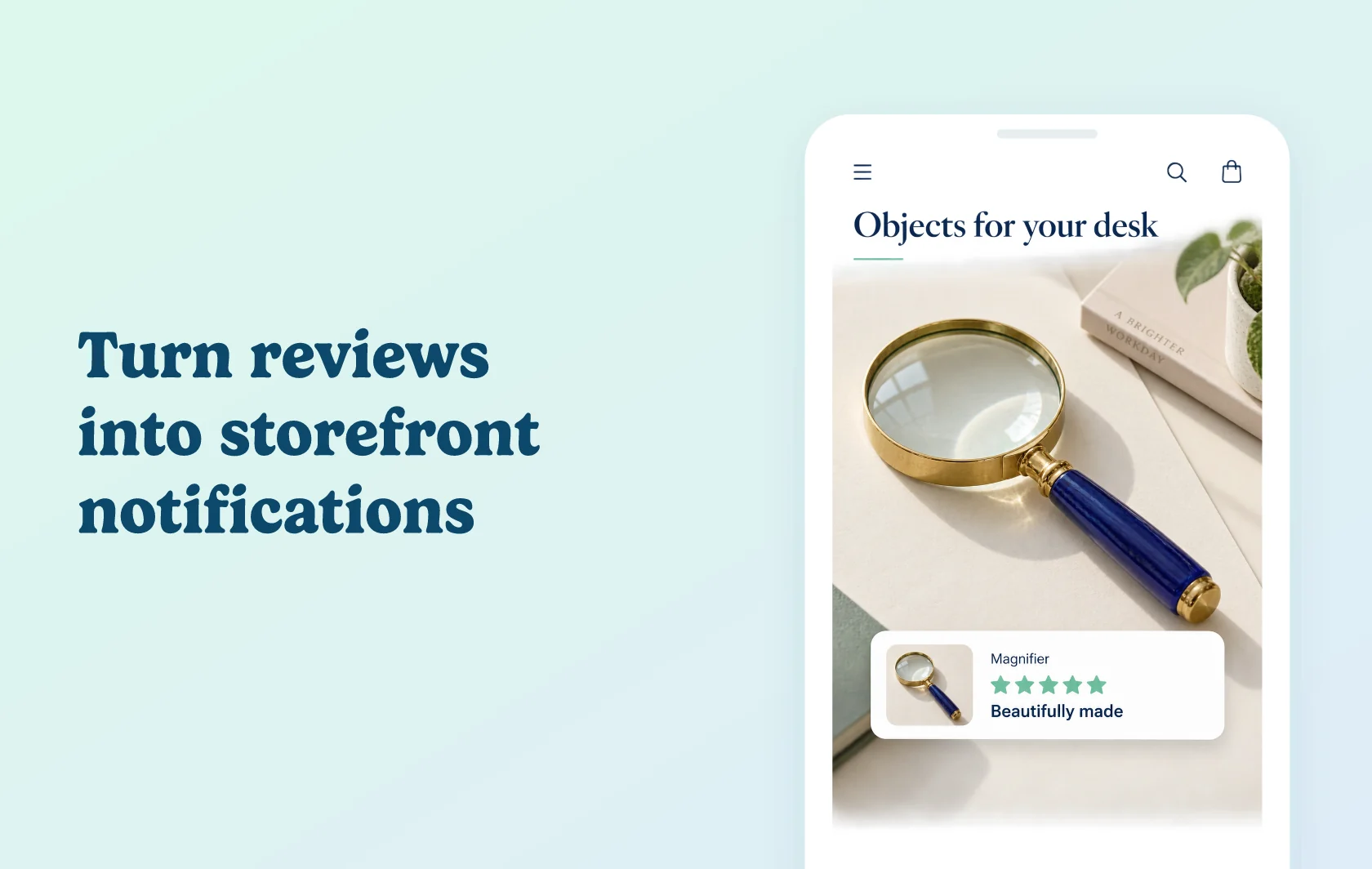
A shopper browsing a desk accessories collection might see a notification for a magnifier another customer reviewed. The product image, star rating and review headline give the shopper a glimpse of that feedback without opening the full review section first.
Recently 4 lets you customize review notification wording and control placement, timing and frequency. Use those controls to fit notifications around the rest of the shopping experience.
How the integration works
Install both apps on the same Shopify store. Enable the Recently connection in Judge.me, then enable product review notifications in Recently 4 and configure their message.
Make sure the Recently 4 popup theme embed is active. Preview how the notification appears on desktop and mobile, and adjust its timing or wording before using it across your storefront.
Before you connect
Judge.me: the integration requires the Awesome plan.
Recently 4: use its paid Unlimited subscription; a trial is available for testing.
Activation: enable the connection, the product review notification channel and the popup theme embed. Installing the apps alone does not activate every display.
Scope: this connection supplies product review notifications. Purchase notifications use separate data and settings; enabling the Judge.me connection does not configure them.
Get started
Already using both apps? Follow the Judge.me connection guide, enable review notifications and check the result on your storefront.
New to either app? Install Judge.me and Recently 4, then configure the connection and popup display.